3D artists don’t usually struggle because they don’t understand what rust, scratched metal, worn paint or rough stone should look like. The time-consuming part is building all of the material logic that creates that result.
Base colour. Roughness. Metallic response. Height variation. Edge wear. Surface breakup. Masks. Layer structure. Then repeating the process for the next asset.
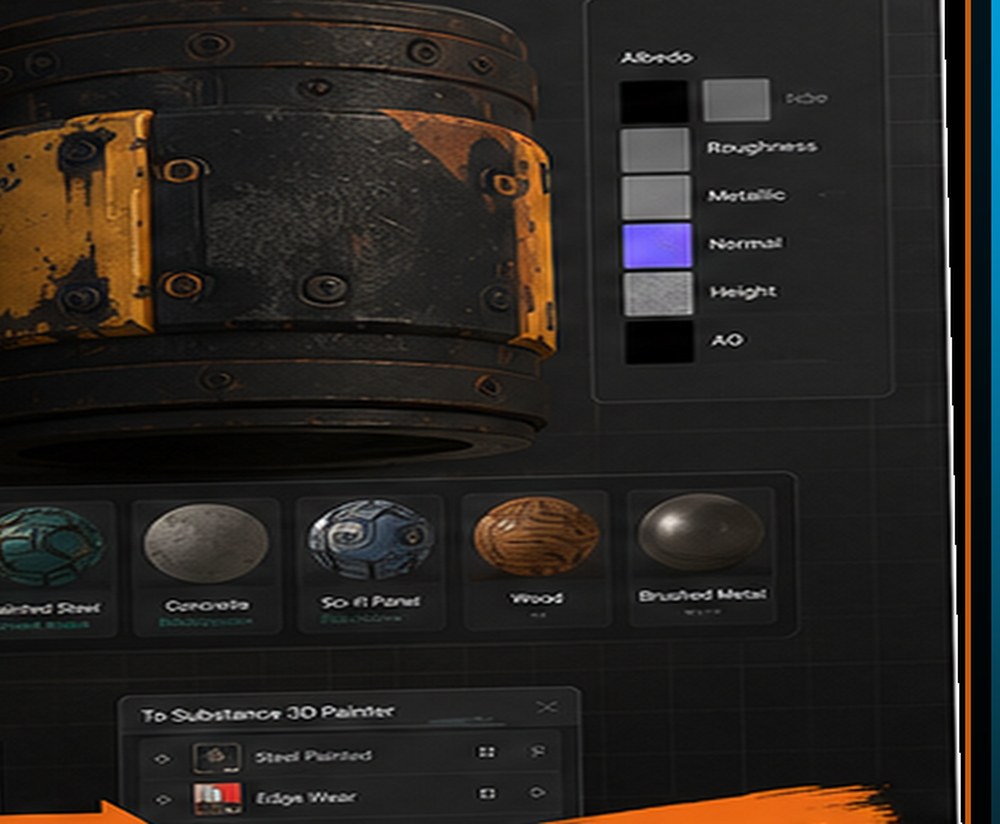
BizziGroup’s Smart Material Studio takes an interesting approach to that problem. Instead of trying to replace a full desktop texture-painting application, it allows artists to develop PBR material ideas in the browser and then carry that work into a production workflow, including Substance 3D Painter.
What Is a PBR Material?
PBR stands for physically based rendering. In simple terms, it is a way of describing how a surface should respond to light using a collection of material properties. A typical workflow may include:
- Base Colour — the underlying colour of the surface.
- Roughness — how broad or sharp reflections appear.
- Metallic — whether the surface behaves like a metal.
- Normal — small surface-direction changes that create detail without additional geometry.
- Height — surface depth information.
- Ambient Occlusion — additional contact and cavity information used in some workflows.
Those channels work together. A rusty metal panel isn’t just “brown”. Some sections are exposed metal. Some are oxidised. Some are rough. Some edges are worn. Some cavities collect dirt.
The power of a smart-material workflow is that those relationships can be built into the material rather than painted manually from scratch every time.
The Smart Material Studio Workflow
BizziGroup’s current Smart Material Studio combines browser-based material creation and 3D previewing with a route into Substance 3D Painter. A typical workflow looks like this:
1. Choose a visual direction
Start with the type of surface you’re trying to create. Realistic metal? Stylised stone? Painted machinery? A worn sci-fi panel? The material begins as a design rather than a blank collection of channels.
2. Build the PBR response
Adjust how the material behaves across colour, roughness, metallic and other channels. The point is to think about the surface as a system rather than a flat image.
3. Preview the result in 3D
A material can look convincing as a collection of maps and still behave differently once lit on a three-dimensional surface. Interactive previewing allows artists to evaluate the material earlier.
4. Refine the material
Increase wear. Reduce roughness contrast. Change colour variation. Adjust the strength of procedural breakup. This is where the browser becomes a fast iteration space.
5. Export into the production pipeline
One of Smart Material Studio’s more distinctive features is its ability to generate a Python script for Substance 3D Painter. Instead of exporting only a flat preview, the workflow can rebuild organised material elements inside Painter, giving the artist somewhere to continue.
Why That’s More Interesting Than Calling It a “Substance Painter Alternative”
There is a temptation to describe any browser texturing application as an alternative to Substance 3D Painter. That comparison isn’t necessarily helpful. Substance Painter is a mature professional desktop application with a broad feature set.
Smart Material Studio becomes more interesting when viewed as a companion workflow. Do fast material development in the browser. Move the result into Painter when a production asset requires deeper painting and refinement. That doesn’t force the artist to choose one environment or the other. It connects them.
Browser-Based 3D Tools Are Becoming More Practical
For a long time, professional browser-based 3D software felt unrealistic. Modern web technology has changed that significantly. Browsers can now handle interactive 3D scenes, GPU-accelerated rendering, complex interfaces and increasingly sophisticated content-creation workflows.
That creates a new category of creative software. Not necessarily replacements for Maya, Houdini, Blender or Substance. Instead, focused tools that can be opened instantly for a particular job. Material development is a good candidate for that approach.
Where Smart Materials Save Time
Consider a studio producing 30 environment props for an industrial level: a generator, tool cabinet, storage locker, air-conditioning unit, control panel, pipe assembly. Each asset needs to feel like it belongs to the same world.
You could texture every one independently. Or you could create a common material language:
- Dark painted steel
- Lighter exposed metal
- Edge wear
- Oil staining
- Dust
- Surface scratches
- A consistent roughness range
That shared material logic gives the environment visual consistency. It can also save a large amount of repeated work.
Smart Materials Are Especially Useful for Game Art
Games contain a lot of assets. A hero object can justify hours of hand-painted attention. A secondary prop may not. Smart-material systems help artists distribute their time more intelligently.
Build procedural or reusable surface behaviour for the majority of the material. Then spend manual painting time where it matters most: a unique scratch, a logo, a story detail, a damaged section, a focal area.
The goal isn’t to eliminate artistic input. It’s to stop spending artistic time rebuilding the same technical foundation.
Browser Prototyping Could Also Help Smaller Teams
Indie developers and small studios don’t always need a full production application open for every experiment. Sometimes a developer simply wants to answer: would this material direction work? Should the metal be cleaner? Would a stylised version fit the game better? Can we create three variations quickly?
A browser workflow lowers the friction of those experiments. That’s particularly useful during look development, when the team may discard more ideas than it keeps.
A Stronger Role for Browser Tools
The future of browser-based creative software may not depend on replacing desktop applications. It may depend on connecting to them.
A focused browser tool can handle fast ideation, setup or validation. A larger production application can handle detailed finishing. That division of labour is much more compelling than attempting to recreate every feature of a desktop package inside a web page. Smart Material Studio’s connection to Substance 3D Painter is a good example of that approach.
Smart Material Studio is one of BizziGroup’s browser-based production tools for creative and game-development teams.
Frequently Asked Questions
What is a smart material?
A smart material combines material layers and procedural rules so surface effects such as wear, dirt and variation can respond to the characteristics of a model.
What is PBR texturing?
PBR texturing uses material properties such as base colour, roughness, metallic and normal information to describe how a surface behaves under lighting.
Does Smart Material Studio replace Substance 3D Painter?
It is better viewed as a complementary workflow. Artists can develop and preview material ideas in the browser and continue the resulting material setup in Painter.
Can professional 3D tools work in a browser?
Modern browser technology can support increasingly sophisticated 3D workflows, although large desktop applications still provide broader production feature sets.
More BizziGroup Production Tools
- Why Large Unreal Engine 5 Projects Become Difficult to Manage
- Fixing a Bad Shot Is Cheap on a Storyboard — Expensive in Production
- Houdini Artists Keep Searching for the Same VEX Code — This Free Toolkit Puts 70+ Snippets in One Place
- Your Nuke Script Works on Your Machine. Will It Work on Someone Else’s?
- Meet Bizzibee Arcade: Free Browser Games You Can Play Instantly
- What If Your 2D Game Art Toolkit Opened in One Browser Tab?
- Your Unity Assets Folder Shouldn’t Require Archaeology